
Escaping the Inbox Trap: Why AI is Your New Digital Gatekeeper
Picture this: It’s 7:00 AM. You haven’t even had your first sip of coffee, but the familiar dread is already creeping in. You know exactly what’s waiting for you—a flooded, chaotic inbox. But this morning is different. Instead of diving into a mess of unread messages, you open a single, neatly organized summary email. It tells you exactly what happened while you slept: three urgent meeting invites flagged for your response, two newsletter ideas saved for later, one partnership inquiry requiring a follow-up, and four low-priority notifications quietly archived. You haven’t even opened your email client yet, but the heavy lifting is done. This isn’t a productivity fantasy; it’s exactly what happens when you stop working for your inbox and start making your inbox work for you.
Any operations manager, founder, or team leader knows the harsh truth: email isn’t going away. The traditional approach to “email triage”—manually sorting, flagging, and prioritizing messages based on sender, subject lines, or urgency—is a losing battle. When you are manually processing every single message, you become the ultimate bottleneck in your own workflow. The relentless torrent of emails turns into an immovable obstacle, forcing you to spend hours on administrative busywork instead of strategic initiatives.
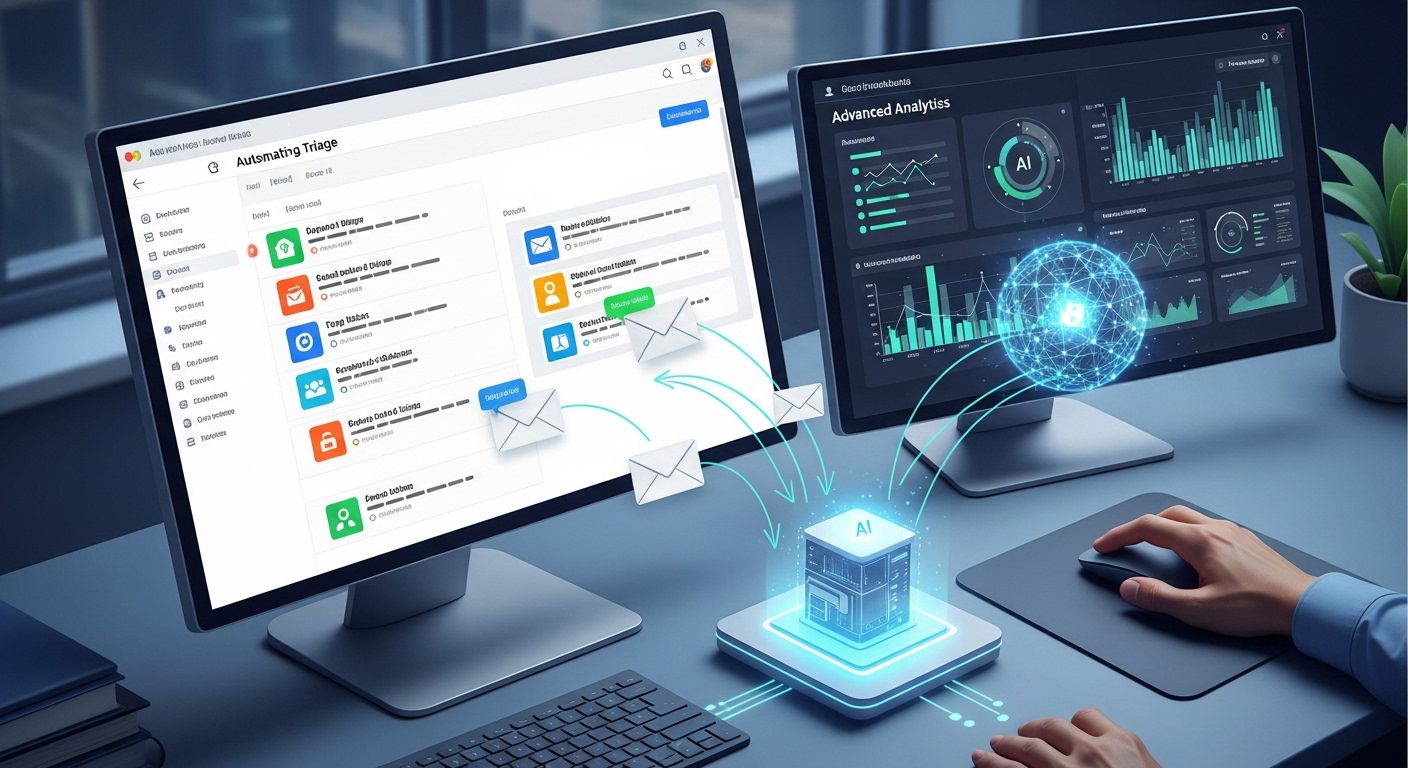
Enter the AI-powered digital gatekeeper. We aren’t talking about those old, clunky inbox rules that just shove emails into hidden folders where important messages go to die. Nor are we talking about a reactive system that blindly auto-replies and risks sending something embarrassing. We are talking about a proactive AI agent that uses machine learning algorithms to interpret the actual content and context of each message as it arrives.
Here is how an automated AI gatekeeper changes the game for high-volume inboxes:
- Contextual Classification: Instead of relying on rigid keyword rules, AI analyzes linguistic cues, metadata, and sender information to categorize emails with surgical precision.
- Dynamic Prioritization: The system instantly separates the urgent fires from the “read later” noise, ensuring you only see what actually requires your brainpower.
- Proactive Action: Your agent can automatically archive notifications, route customer complaints to the right support desk, or even trigger auto-responses confirming receipt—all while you sleep.
By acting as your frontline defense, AI email triage fundamentally shifts how you work. It bridges the gap between a reactive workflow—where you are constantly putting out fires—and a proactive one. Harnessing artificial intelligence to handle the tedious, repetitive tasks of sorting and flagging frees your team to respond faster, avoid missed opportunities, and focus purely on growth. You finally get to step out of the inbox trap and take back control of your time.
Decoding the Chaos: Auditing Your Current Email Workflow and Pain Points
Before you hand the keys to your inbox over to an AI agent, we need to establish a fundamental rule of automation: if you automate a broken process, you just get a faster broken process. To build a system that works with surgical precision, you first have to understand the anatomy of your current inbox chaos.
Every operations manager, founder, or team leader knows the feeling of staring down a relentless torrent of messages. But to fix it, you need to move past the overwhelm and get analytical. An effective audit helps you map out bottlenecks, identify patterns, and figure out exactly what you need your AI to do.
Step 1: Assess Your Volume and Bottlenecks
Start by taking a hard look at your daily numbers. Engage your team and ask yourselves a few critical questions:
- How many emails are you actually receiving on an average day?
- What percentage of these messages require urgent, drop-everything attention?
- Which types of emails are the biggest “time-vampires” (e.g., back-and-forth scheduling, repetitive customer questions, or internal status updates)?
Understanding your existing workflows and typical bottlenecks is the only way to determine which emails are critical to prioritize and which can be safely delayed, archived, or handled entirely on autopilot.
Step 2: Data Preparation and Category Mapping
AI thrives on patterns, which means you need to define the rules of engagement. Gather a representative sample of your recent emails and start tagging them by category and urgency. Think of this as creating the training manual for your future digital gatekeeper.
You might categorize your inbox into distinct buckets like:
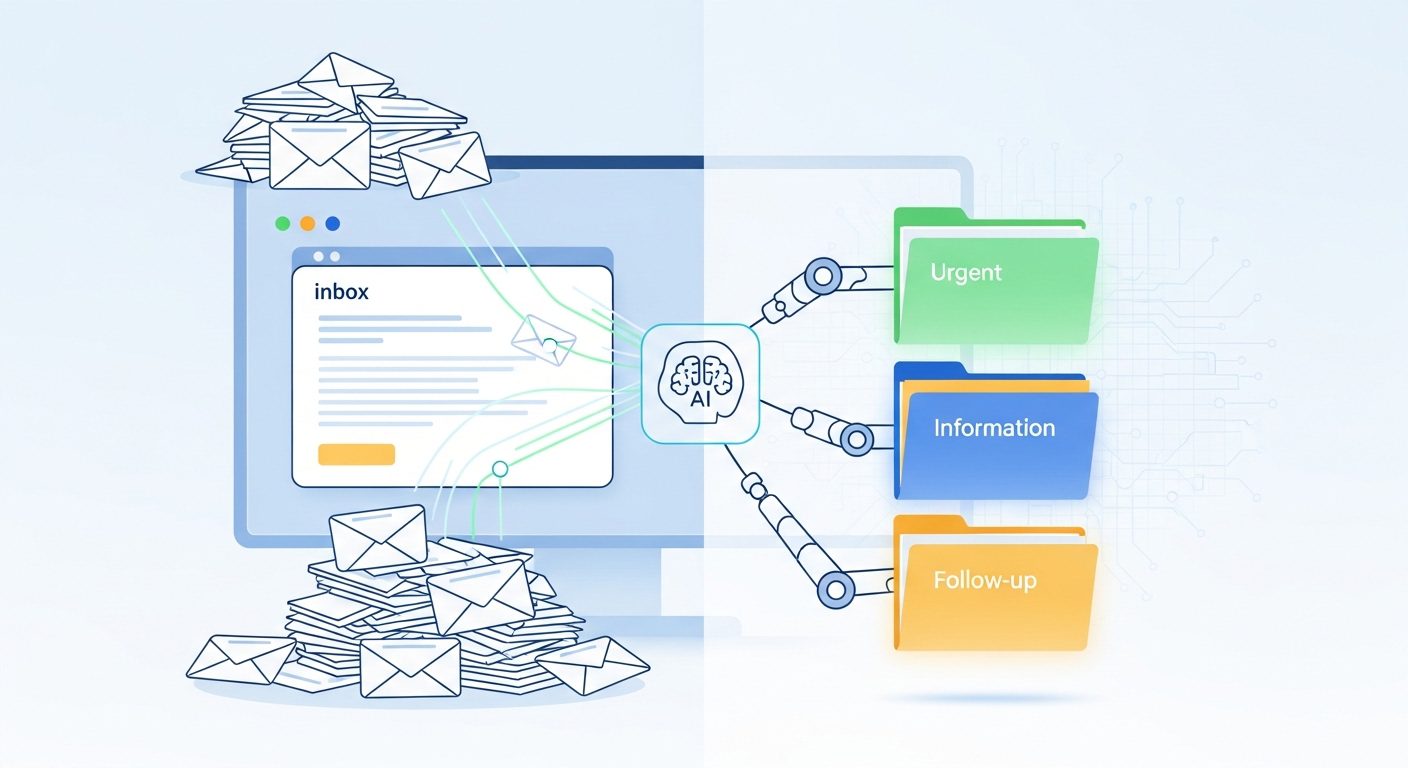
- Urgent: Client escalations, support tickets, or meeting invites that need immediate responses.
- Action Required: Partnership inquiries, team questions, or project follow-ups.
- Read Later: Industry newsletters, research, and ideas worth exploring.
- Noise: Automated notifications, low-priority updates, and promotional blasts that should be instantly archived.
This labeled dataset is crucial. Whether you end up using a simple prompt-based automation or training a machine learning model, these categories form the foundational logic of your triage rules.
Step 3: Define Your AI Feature Wishlist
Once you know exactly what is clogging your inbox, you can identify the specific AI features that will actually move the needle for your productivity. Your audit will directly dictate your tech requirements.
If you are drowning in lengthy project updates, you will want an AI that excels at summarization. If you spend hours typing out similar responses to client FAQs, you will need a system capable of drafting suggested replies. If you are constantly missing critical vendor emails buried under newsletters, dynamic prioritization and smart routing will be your top priority.
By auditing your pain points first, you aren’t just throwing AI at a wall to see what sticks. You are building a strategic blueprint. With this clarity, you are finally ready to choose the right technology stack to bring your automated gatekeeper to life.
Choosing Your Automation Arsenal: No-Code Platforms vs. Custom Python Scripts
Now that you’ve audited your inbox chaos and mapped out your bottlenecks, it’s time to actually build your digital gatekeeper. When it comes to assembling your AI email triage tech stack, you are essentially standing at a fork in the road: do you take the rapid, user-friendly path of no-code platforms, or do you gear up for the granular, highly scalable route of custom Python scripts?
Neither approach is inherently “better.” The right choice depends entirely on your team’s technical chops, your daily email volume, and how quickly you want to stop drowning in unread messages.
The No-Code Route: Speed, Agility, and Accessibility
If you want to transform your inbox by the end of the week without writing a single line of code, no-code automation platforms are your best bet. Tools like Make.com, Zapier, and Microsoft Power Automate have completely democratized AI integration.
These platforms act as the connective tissue between your email provider and your AI models. They offer intuitive, visual drag-and-drop interfaces that let you set up complex automated rules without heavy coding requirements. Here is why the no-code route is incredibly popular for small-to-medium businesses and agile teams:
- Lightning-Fast Deployment: You can connect an AI model directly to Microsoft Outlook or Gmail in minutes, not months.
- Zero Developer Dependency: Operations managers and team leaders can build, tweak, and maintain the workflows themselves. If a triage rule needs to change on a Tuesday afternoon, you don’t have to submit a Jira ticket to your IT department.
- Seamless Integrations: These platforms already have native hooks into thousands of apps, making it incredibly easy to route a customer complaint to Zendesk or drop a flagged partnership inquiry into Slack.
The Custom Python Route: Ultimate Control and Scalability
On the flip side, if you are an enterprise dealing with a relentless torrent of hundreds of thousands of emails, or if you have strict data compliance and security hurdles, a custom-coded solution might be mandatory.
For organizations with dedicated developer resources, custom Python scripts offer a playground of limitless potential. Instead of relying on third-party automation platforms, your developers can directly leverage APIs—like Microsoft Graph or Google’s Gmail API—to fetch messages securely.
Here is where custom Python scripts shine:
- Granular Control: You can process emails through highly specialized, custom-trained NLP (Natural Language Processing) libraries rather than relying on off-the-shelf AI models.
- High-Volume Scalability: Custom scripts can handle massive datasets and complex, multi-layered routing that might break or become cost-prohibitive on a no-code platform.
- Deep Proprietary Integration: If your email triage needs to cross-reference incoming messages with a bespoke, in-house legacy database before deciding how to tag them, custom code is the only way to guarantee a flawless handshake.
Making the Call for Your Inbox
So, which arsenal should you choose? If you have a massive, high-volume inbox requiring deep integration into proprietary systems—and you have the engineering budget to build and maintain it—Python is the clear winner.
But for the vast majority of professionals, solopreneurs, and growing businesses ready to embrace this transformation, the journey need not be complicated or expensive. No-code platforms offer a powerful, accessible way forward. In fact, to prove just how accessible this technology is, we are going to take the no-code path for the rest of this guide. Get ready, because we are about to build a fully proactive, autopilot AI agent using Make.com and OpenAI.
Building a Proactive AI Agent: The Autopilot Workflow with Make.com and OpenAI
There is a massive difference between an on-demand automation and a truly proactive AI agent. If you have to manually trigger a script or type a Slack command every time your inbox gets flooded, you are still the bottleneck. What you actually need is a digital gatekeeper that works while you sleep.
Instead of a reactive system, we are going to build an autopilot workflow. And no, this isn’t an agent that auto-replies without your approval (that’s a great way to send something stupid to a VIP client), nor is it a basic filter that buries important messages in obscure folders. It is a smart, proactive agent that watches your inbox, analyzes context, applies your specific rules, and gives you a clean summary.
The Tech Stack
To build this system, you don’t need to be a senior developer. You just need three tools:
- Make.com: The visual AI automation platform that will act as the nervous system for our workflow.
- OpenAI API: The “brain” that will read, interpret, and categorize the context of your emails.
- Gmail (or Outlook): Your standard email account.
The 4-Step Autopilot Workflow
Here is exactly how to structure your Make.com scenario so you can hit Inbox Zero without losing control.
1. The Trigger: “Watch New Emails”
The foundation of a proactive agent is its ability to act instantly. Start your Make.com scenario by adding the Gmail integration and selecting the “Watch New Emails” trigger. Instead of running on a manual schedule, this module wakes up your AI agent the moment an unread email arrives. Your digital gatekeeper is now officially on duty 24/7.
2. The Brain: Processing Against Triage Rules
Once an email is fetched, Make.com passes the data (sender, subject line, and body content) into the OpenAI module. This is where you feed the AI your specific triage rules. You aren’t just looking for keywords; you are asking the AI to understand the intent of the email. Is it a meeting invite? A customer complaint? A newsletter? The AI analyzes the linguistic cues and metadata to determine exactly what the message means.
3. The Action: Categorize, Label, and Archive
Based on OpenAI’s analysis, Make.com routes the email to the appropriate action. You can set the agent to automatically apply specific labels in Gmail. For example, your AI can tag messages as URGENT (for meeting invites that need immediate responses), FOLLOW-UP REQUIRED (for partnership inquiries), or NEWSLETTER IDEAS (for interesting reader questions). Crucially, it can also instantly archive the low-priority noise—like software notifications and promotional blasts—so they never clutter your main view.
4. The Handoff: The Summary Email
This is the secret to never opening your inbox unnecessarily. After the agent processes your incoming mail, it compiles the data and sends you a single, formatted summary email. Imagine waking up, checking your phone, and seeing a clean digest that says: 3 emails labeled URGENT, 1 labeled FOLLOW-UP REQUIRED, and 4 emails archived. You know exactly what happened and what needs your attention, all without touching Gmail.
By implementing this Make.com and OpenAI workflow, you transform your email from a chaotic, time-consuming chore into a streamlined, automated machine. You keep total control over the responses, but the heavy lifting of sorting and prioritizing is handled entirely on autopilot.
Beyond Sorting: Smart Routing, Auto-Responses, and Daily Summaries
Let’s be real: if all your new AI setup does is move emails into different folders, you haven’t actually solved your inbox problem. You’ve just organized your digital hoarding. Important messages can still get buried, and you are still the bottleneck. The true power of an automated triage system lies in what happens after the initial classification.
Once your AI agent is hooked up to your inbox, it transitions from a reactive tool to a proactive digital gatekeeper. By interpreting the context, linguistic cues, and metadata of every incoming message, your system can dynamically apply rules to route, respond, and summarize your communications on autopilot.
Smart Routing: Directing the Flow of Traffic
Traditional email filters rely on rigid rules—like forwarding everything from a specific domain to a designated folder. AI-driven smart routing is entirely different. Because the AI actually “reads” and understands the context of the email, it can make dynamic decisions based on urgency and intent.
For example, if an email comes in, the AI analyzes the sender information and the linguistic cues within the body text. It can determine the best course of action instantly:
- Customer Support: It identifies a frustrated tone in a customer complaint and automatically routes the ticket directly to your support team’s helpdesk, flagging it as high priority.
- Sales Inquiries: It spots a partnership inquiry, labels it “FOLLOW-UP REQUIRED,” and pings your sales channel in Slack.
- Administrative Clutter: It recognizes newsletters, system notifications, and low-priority updates, archiving them immediately so they never even touch your primary inbox.
Auto-Responses: Speed Without the Risk
When people hear “AI auto-responder,” they usually picture a rogue bot firing off unapproved, hallucinated replies to important clients. That is exactly how you send something stupid and damage a relationship. A well-designed triage system protects you from this by balancing automation with human oversight.
Instead of giving the AI free rein to hit “Send,” you can configure your workflow to trigger predefined, safe actions. For instance, if the AI categorizes an email as a complex vendor request, it can trigger a polite auto-response confirming receipt and setting a timeline for your actual reply. For more nuanced emails, the AI can pre-draft a highly contextual response and save it directly to your Drafts folder. When you finally log in, you aren’t starting from scratch—you’re just reviewing, tweaking, and hitting send.
The Daily Summary: Your Morning Briefing
This is where the magic truly happens. The ultimate goal of an AI email agent isn’t just to manage your inbox; it’s to keep you out of it entirely. Instead of waking up, opening Gmail, and immediately feeling overwhelmed by a wall of unread text, you can configure your agent to send you a single, clean summary email.
Because the agent runs on autopilot—watching for new emails and processing them against your triage rules while you sleep—you can start your day with a digest that looks something like this:
- 3 emails labeled URGENT: Meeting invites and client escalations that need immediate responses.
- 2 emails labeled NEWSLETTER IDEAS: Reader questions and industry news worth exploring later.
- 1 email labeled FOLLOW-UP REQUIRED: A warm partnership inquiry.
- 4 emails ARCHIVED: Newsletters, software notifications, and low-priority updates handled automatically.
With a proactive setup, you don’t even need to open your email client to know exactly where you stand. The AI handles the heavy lifting, applies your specific rules, takes the necessary actions, and delivers a concise briefing. You retain total control over your communications, but you finally eliminate the administrative busywork.
Reclaiming Your Time: The Path Forward to Strategic Productivity
Imagine waking up, pouring your morning coffee, and instead of opening your inbox to a wall of 150 unread messages, you simply review a concise summary of the three things that actually need your attention. The rest? Already archived, routed, or flagged by your AI agent while you slept. You are no longer the bottleneck in your own workflow.
That is the true power of automated email triage. We often talk about “Inbox Zero” as if an empty screen is the ultimate goal, but a clean inbox is just a byproduct. The real objective is reclaiming your time and shifting your energy from administrative busywork to high-level, strategic initiatives.
When you harness machine learning to act as your digital gatekeeper, the ripple effects across your day-to-day operations are massive. By automating the tedious, repetitive tasks of sorting and prioritizing, you unlock several distinct advantages:
- Faster Response Times: Urgent requests, like a critical client issue or a time-sensitive meeting invite, are instantly flagged and surfaced to the top.
- Zero Missed Opportunities: Important partnership inquiries or high-value leads no longer get buried under a mountain of newsletters and low-priority updates.
- Empowered Teams: For operations managers and team leaders, removing the relentless torrent of emails means your team can finally focus on growth, creative problem-solving, and strategic priorities.
If the sheer volume of your daily email has felt like an immovable obstacle, it’s time to change the paradigm. As we’ve explored, the journey to building a proactive AI agent doesn’t have to be overly complicated or prohibitively expensive. Whether you leverage no-code platforms like Make.com and Zapier or deploy custom Python scripts, the technology is accessible and ready to be tailored to your specific pain points.
Email isn’t going away anytime soon, but how you interact with it can change today. Stop working against your inbox and start letting AI do the heavy lifting. With the right setup, your AI-driven email triage system won’t just be a neat technical trick—it will quickly become your most reliable productivity best friend.